
PingDot
A dot in your Mac's menu bar that tells you whether the internet works.
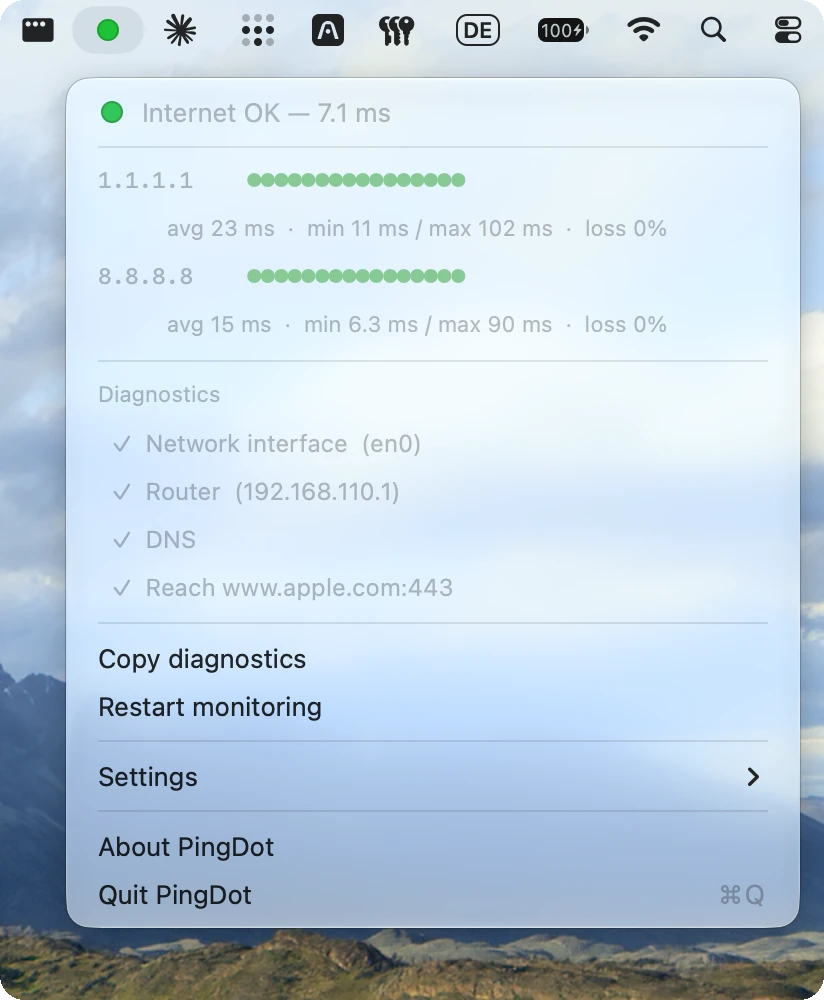
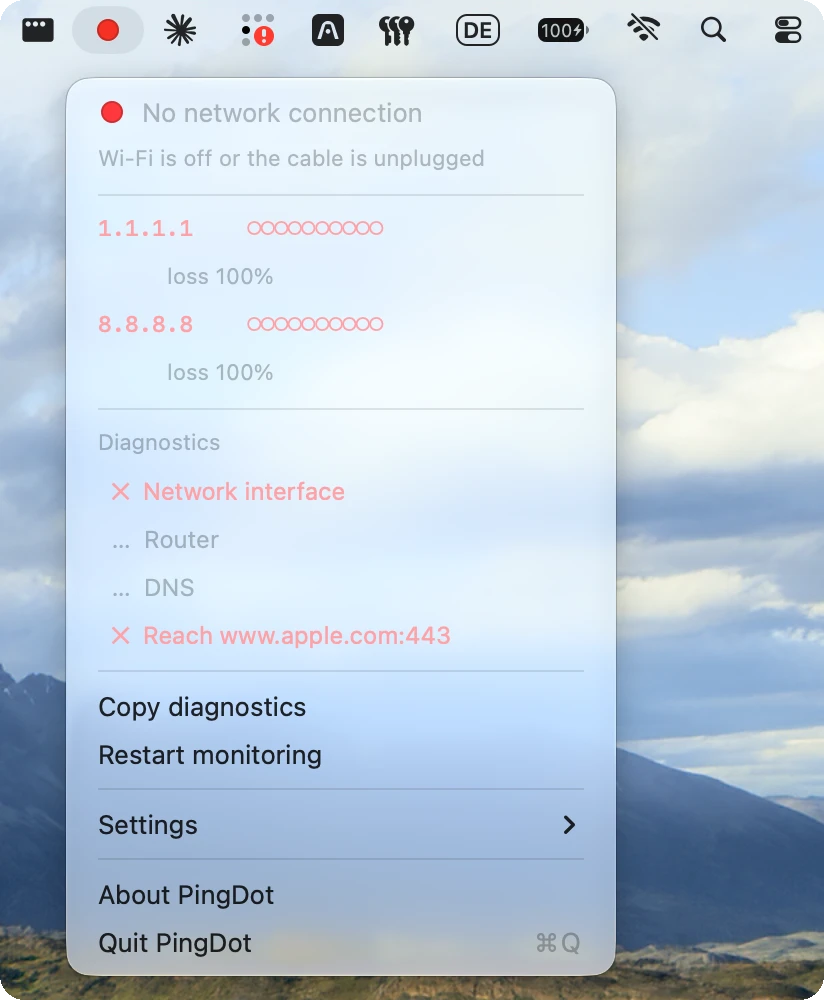
PingDot answers one question: is the app frozen, or is it my internet? One glance at the top right of your screen instead of a terminal window running ping all day.
Green means the last ten pings came back. Yellow means packets are getting lost, or pings get through but websites won't load. Red means three pings in a row were lost, or there is no network at all.
PingDot pings 1.1.1.1 and 8.8.8.8 in parallel and only turns red when both stop answering. Click the dot for the details: the last pings per target, plus checks of your network interface, router, DNS and an HTTPS connection, with the likely cause in plain words. Copy diagnostics gives you a text report for the support chat.
How to install
- Download from GitHub
- Install with Homebrew
brew install schub-tech/tap/pingdot - Install from the Mac App Store (link coming soon)