Solve it in Claude Code first, build the app later
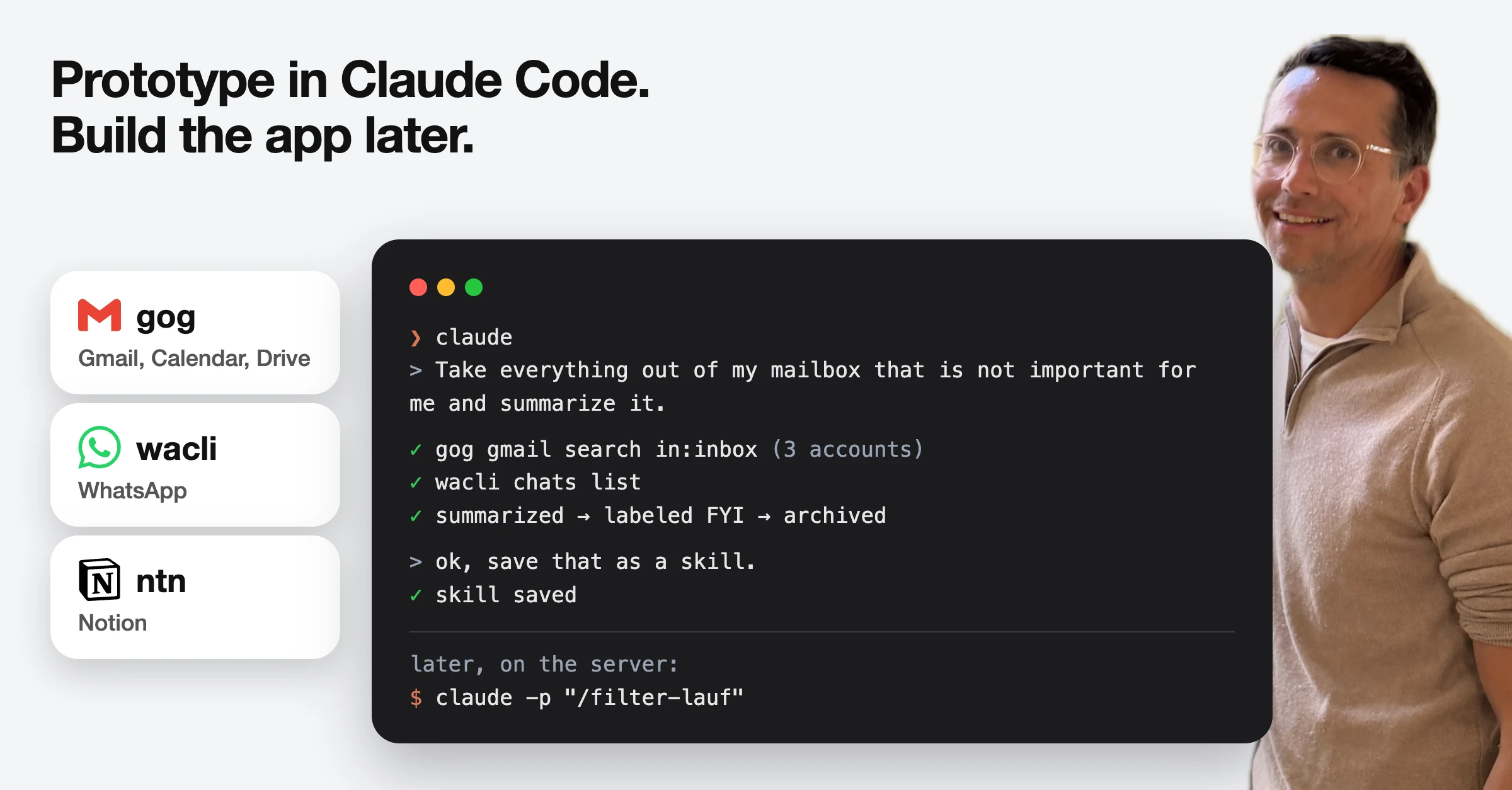
Prototyping in the age of AI: solve it in Claude Code first. Build the app later.
When I started automating my daily life, I didn’t build an app. I solved the problem step by step in Claude Code, interactively.
For a lot of things Claude Code is the best interface. Or at least good enough: you see what happens, you can steer, you keep the overview. The app can come later - and then you just move over what already works.
How I did it:
\1. Connect everything to Claude Code
The first problem was boring: three Gmail accounts, two Notion workspaces. The standard Claude connectors talk to one account each. Based on Thilo Reintjes advice, I use CLIs instead of MCP servers, it’s easier on the context window (plus helps in later stages)
- gog for Google (Gmail, Calendar, Drive)
- wacli for WhatsApp
- ntn for Notion
\2. Teach it skills
The first one I copied from Philipp Roesch-Schlanderer: take everything out of my mailbox that is not important for me, and summarize it. Version 1 posted the summaries in the chat and I typed “ok, archive them”. Version 2 runs on a schedule, sends me daily the summary as an email and archives with a label.
\3. Put a server in front
Finally I had outgrown Claude as the UI: I wanted an easy way to get drafts for Whatsapp (their integration does not support to push drafts to the Whatsapp client). Hence I asked to build an app where this could live.
The nice part: the server part was super lightweight: It calls the same CLIs, reads the same skill files and runs them from the command line with claude -p (we’ll dive into it in a future post, it still runs on my local Mac and I connect to it through tailscale)
The prototype became the backend. That’s also why I went with CLIs instead of MCP back then.
I am still looking for a good CLI for LinkedIn. Anyone got recommendations?